Terminal title
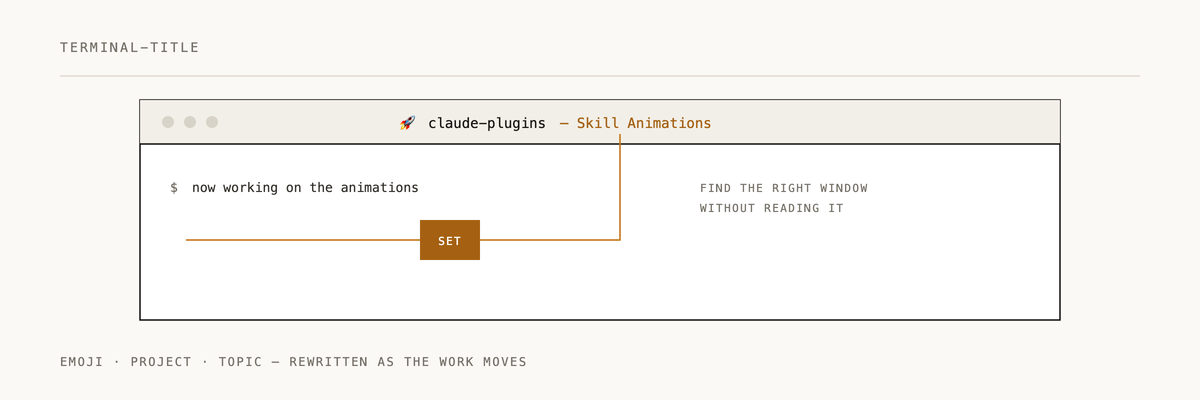
Automatically updates your terminal title with emoji + project + topic context. Works on Windows, macOS, and Linux.
Installation
/plugin marketplace add 2389-research/claude-plugins
/plugin install terminal-title@2389-research
Environment variables
Add these to your .bashrc, .zshrc, or shell profile:
# Set to 1 to disable automatic terminal title updates
export CLAUDE_CODE_DISABLE_TERMINAL_TITLE=0

# Optional: set an emoji prefix for your terminal title.
# Useful for distinguishing work vs personal terminals at a glance.
export TERMINAL_TITLE_EMOJI=💼
If TERMINAL_TITLE_EMOJI is not set, the plugin defaults to 🎉.
Platform-specific setup
Windows users need PowerShell 7+ (pwsh) installed and on PATH. The plugin picks it up automatically.
Unix/Linux/macOS users don't need to do anything extra.
Use with other agent harnesses (Codex, etc.)
The skill itself is harness-neutral — only the install path differs. For non-Claude-Code harnesses:
- Clone this repo somewhere stable (the install path is baked into the wrapper).
- Run
bin/install.sh. This creates~/.local/bin/set-terminal-titlepointing at the bundled script. - Make sure
~/.local/binis on yourPATH. - Register
skills/SKILL.mdwith your harness's skill discovery (mechanism is harness-specific). - Approve the wrapper in your harness's command allowlist. For Codex, that looks like:
["/Users/<you>/.local/bin/set-terminal-title"]
The wrapper path is stable across plugin updates, so the approval doesn't need to change when the skill's internals move.
The agent invokes set-terminal-title "Project" "Topic". If the wrapper isn't installed or isn't approved, the skill instructs the agent to skip silently.
What this plugin does
One skill: terminal-title -- manages your terminal title based on project and topic context.
The title updates automatically at session start, and again whenever the topic changes. The emoji prefix gives you a quick visual cue when switching between terminal windows.
How it works
A session start hook fires the terminal-title skill, which:
- Detects your OS (Windows, macOS, Linux)
- Figures out the current project from the working directory, git repo, or package.json
- Infers the topic from conversation context
- Reads
TERMINAL_TITLE_EMOJIfrom the environment (or defaults to 🎉) - Updates the terminal title via a platform-specific script (
.ps1on Windows,.sheverywhere else)
The title format is: $EMOJI ProjectName - Topic
Examples
💼 OneOnOne - Firebase Config
💼 Claude Plugins - Terminal Title
🎉 dotfiles - zsh config
Documentation
If Terminal Title helps you keep track of 12 open sessions, a ⭐ helps us know it's landing.
Built by 2389 · Part of the Claude Code plugin marketplace