Slack MCP server
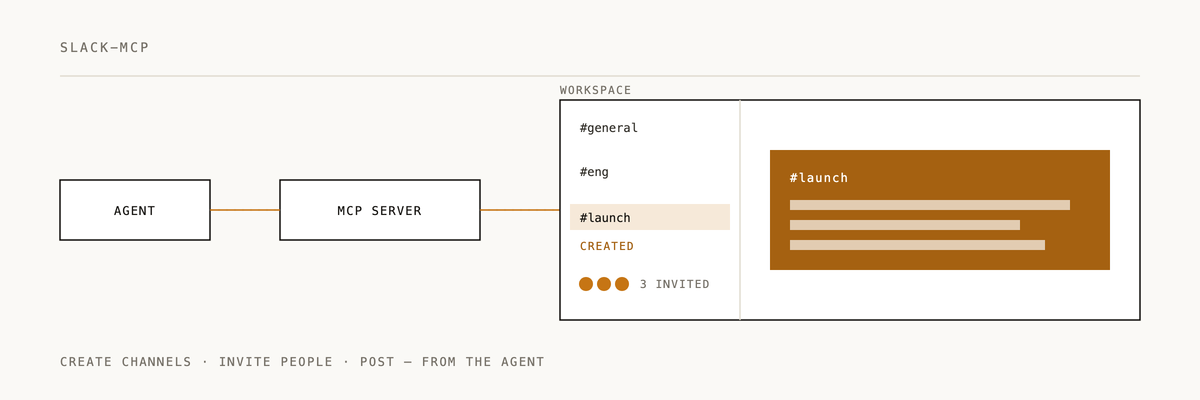
MCP server for Slack workspace integration. Handles channel creation, user invites, message posting, and thread management.
Setup
1. Create a Slack app
- Go to api.slack.com/apps
- Click "Create New App" → "From scratch"
- Name it (e.g., "Claude MCP") and select your workspace
2. Add OAuth scopes
Under "OAuth & Permissions", add these Bot Token Scopes:
channels:manage        # create public channels
groups:write           # create private channels
channels:read          # list channels
groups:read            # read private channels
chat:write             # post messages
pins:write             # pin messages
users:read             # list users
users:read.email       # lookup users by email
3. Install to workspace
Click "Install to Workspace" and authorize the app.
4. Get bot token
Copy the "Bot User OAuth Token" (starts with xoxb-).
5. Configure environment
export SLACK_BOT_TOKEN="xoxb-your-token-here"
Or add to your Claude config:
{
  "mcpServers": {
    "slack": {
      "command": "node",
      "args": ["/path/to/slack-mcp/dist/index.js"],
      "env": {
        "SLACK_BOT_TOKEN": "xoxb-your-token-here"
      }
    }
  }
}
6. Build and run
npm install
npm run build
npm start
Development
Running tests
npm test # protocol + unit tests; no Slack calls; requires a built dist/
The default test suite spawns the compiled server process and speaks JSON-RPC over stdio. It uses FAKE-audit-not-a-token as the token — the server validates the token is present but does not call the Slack API until a tool is invoked, so the tests are network-free.
End-to-end tests
To run tests against a real Slack workspace:
export SLACK_E2E_TOKEN="xoxb-your-real-token"
export SLACK_E2E_CHANNEL="C123ABC"   # an existing channel the bot has access to
npm run test:e2e
npm run test:e2e is intentionally excluded from npm test so CI stays green without Slack credentials.
Tools
slack_create_channel
Create a new Slack channel.
{
  "name": "gtm-jeff",
  "is_private": true,
  "description": "GTM materials for Jeff launch"
}
slack_invite_to_channel
Invite users by email or user ID.
{
  "channel_id": "C123ABC",
  "users": ["harper@2389.ai", "dylan@2389.ai"]
}
slack_post_message
Post a message to a channel.
{
  "channel_id": "C123ABC",
  "text": "## Email

**Subject:** meet jeff..."
}
slack_post_thread
Reply to a message in a thread.
{
  "channel_id": "C123ABC",
  "thread_ts": "1234567890.123456",
  "text": "Updated the subject line"
}
slack_pin_message
Pin a message to a channel.
{
  "channel_id": "C123ABC",
  "message_ts": "1234567890.123456"
}
slack_list_users
List all users in the workspace.
{}
Usage with product launcher
After generating GTM materials, say "push to slack":
- Creates
#gtm-[product]private channel - Invites Harper and Dylan
- Posts each output (email, blog, tweets) as separate messages
- Pins the summary message
License
MIT
Installation
/plugin marketplace add 2389-research/claude-plugins
/plugin install slack-mcp@2389-research
If Slack MCP saved you from context-switching out of your terminal, a ⭐ helps us know it's landing.
Built by 2389 · Part of the Claude Code plugin marketplace