Landing Page Design Plugin
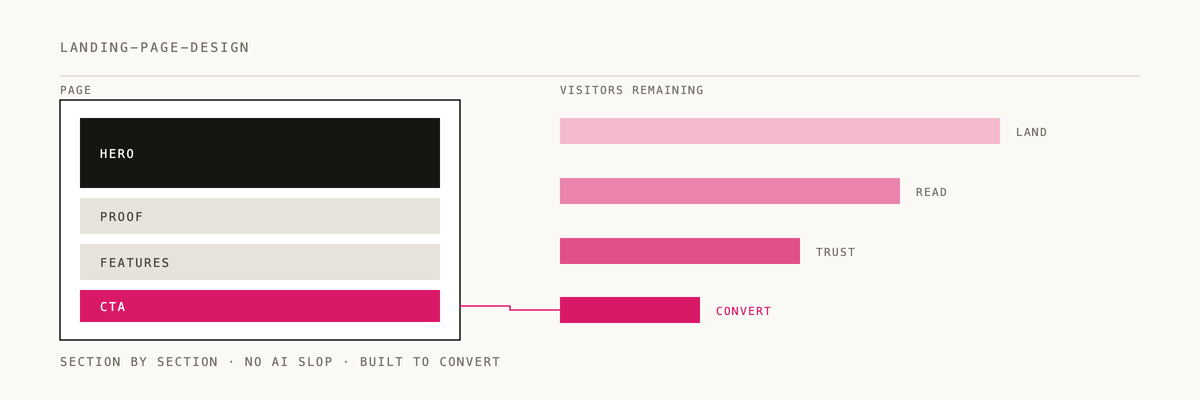
Build landing pages that don't look like every other AI-generated page.
Installation
/plugin marketplace add 2389-research/claude-plugins
/plugin install landing-page-design@2389-research
What this plugin provides
Main skill: landing-page-design
A workflow for building landing pages worth $50-100. Forces unique design direction through the Vibe Discovery process so you don't end up with generic AI-slop.
Quick example
User: "Build a landing page for my productivity app"

Claude: Before writing any code, let's run Vibe Discovery.

Q1: What's one real-world place or object this brand would be?
Q2: What's the ONE emotion someone should feel in the first 3 seconds?
Q3: Pick TWO unexpected influences to collide:
Q4: What should this page NEVER be mistaken for?

[After answers, Claude creates a unique Vibe Spec and builds a distinctive page]
The problem this solves
AI-generated landing pages converge on the same patterns: purple gradients, Inter/Roboto, Lucide icons, generic bento grids, the same animations everywhere. This plugin forces a unique aesthetic direction for every project.
How it works
Vibe discovery
4 context questions generate a unique direction. Colors, typography, and layout are invented from scratch (not looked up from a template). Anti-convergence rules prevent generic output, and a freshness check runs before any coding starts.
The 50% rule
Half your effort goes to the hero section. It's the social media preview and the first impression. Everything else flows from the hero.
Anti-AI-slop principles
- Fonts -- kill Inter/Roboto. Use Newsreader, Playfair Display, Clash Display, etc.
- Icons -- avoid Lucide. Use Iconify Solar, Heroicons, Phosphor.
- Colors -- no purple gradients. Derive from real-world references.
- Layouts -- break the grid. Overlapping elements, diagonal sections, asymmetry.
Animation vocabulary
Full animation system for entrances, continuous effects, interactions, and decorative elements.
Section composition
- Hero -- the make-or-break element (50% of effort)
- Features/Benefits -- bento grids, alternating rows, icon grids
- Social proof -- logo marquee, testimonials, stats
- How it works -- numbered steps, timeline, flowchart
- Pricing -- tier comparison with recommended highlight
- Final CTA -- repeat value prop, single focused action
- Footer -- navigation, social, legal
Resources
- superhero.design -- hero section gallery
- H1 Gallery -- headline inspiration
- Iconify -- unified icon API
- Google Fonts -- typography
- Fontshare -- free quality fonts
Documentation
- CLAUDE.md -- full plugin instructions for Claude
- skills/SKILL.md -- skill reference
License
MIT - Part of the 2389 Research Claude Plugins Marketplace
If this helped you ship a page that doesn't look like every other AI-generated landing page, a ⭐ helps us know it's landing.
Built by 2389 · Part of the Claude Code plugin marketplace