Agent Drugs
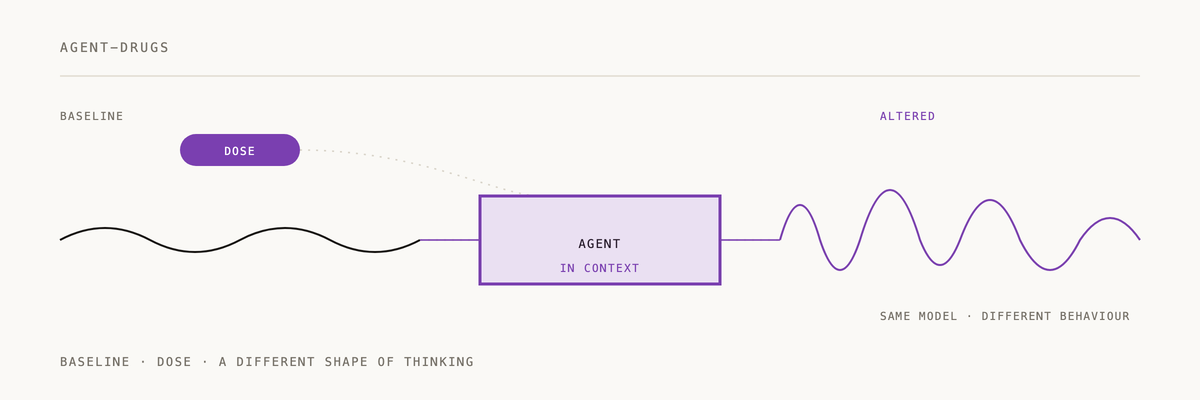
Claude Code plugin with MCP server for digital drugs that modify AI behavior through prompt injection.
Installation
Plugin Installation (Recommended)
Install as a Claude Code plugin to get MCP server, hooks, and slash commands:
- Add the 2389 marketplace (first time only):
/plugin marketplace add 2389-research/claude-plugins
- Browse and install interactively:
/plugin
Then select "Browse Plugins" and install "agent-drugs"
Or install directly:
/plugin install agent-drugs@2389-research
This installs:
- MCP Server - OAuth-authenticated connection to https://agent-drugs-mcp.fly.dev
- Slash Commands -
/drugsand/take <drug>commands - SessionStart Hook - Automatically activates drugs in new sessions
Manual MCP Configuration
Alternatively, manually add to your Claude Code MCP settings:
{
  "mcpServers": {
    "agent-drugs": {
      "url": "https://agent-drugs-mcp.fly.dev/mcp",
      "oauth": {
        "metadata_url": "https://us-central1-agent-drugs.cloudfunctions.net/oauthMetadata"
      }
    }
  }
}
First Use
After installation, the first time you use a drug tool:
- Claude Code discovers the OAuth endpoints
- Opens your browser to https://agent-drugs.web.app/oauth-authorize.html
- You sign in with Google or GitHub
- You authorize the agent's access
- Redirects back to Claude Code
- Connection established!
Usage
Once installed, you have several ways to interact with drugs:
Slash Commands:
/drugs              # List all available drugs
/take focus         # Take the focus drug
/take creative 120  # Take creative drug for 120 minutes
Natural Language:
"List all available drugs"
"Take the focus drug"
"What drugs are active?"
MCP Tools:
list_drugs- Browse drug catalogtake_drug- Activate a drugactive_drugs- Check active drugs and remaining time
Managing Access
Visit https://agent-drugs.web.app to:
- View all authorized agents
- See token expiration dates (90 days)
- Revoke access for specific agents
How It Works
Immediate Effect: Drugs activate instantly in your current session via prompt injection in the tool response.
Persistent Effect: Active drugs are saved to Firestore and automatically reactivated in new sessions via the SessionStart hook.
Architecture:
- Web UI (Firebase Hosting): https://agent-drugs.web.app
- OAuth Endpoints (Cloud Functions): OAuth 2.1 with PKCE
- MCP Server (Fly.io): Streamable HTTP transport (MCP 2025-03-26), validates bearer tokens
- Database (Firestore): Stores agents, drugs, usage events
See CLAUDE.md for detailed plugin documentation.
Development
Local Development
# Install dependencies
npm install

# Build
npm run build

# Run stdio version (for local testing)
export AGENT_DRUGS_BEARER_TOKEN="your_token_here"
export FIREBASE_PROJECT_ID="agent-drugs"
export GOOGLE_APPLICATION_CREDENTIALS="/path/to/service-account.json"
npm run dev:stdio

# Run HTTP version (for production-like testing)
npm run dev:http
Testing
npm test
Docker
docker-compose up
Deployment
See DEPLOYMENT.md for complete deployment instructions including:
- Firebase Cloud Functions
- Firebase Hosting
- Fly.io MCP server
- Service account configuration
- OAuth flow setup
Security
- OAuth 2.1 with PKCE (S256)
- Bearer tokens (256-bit random, not JWTs)
- Per-user access control via Firestore rules
- Service account for server-to-server Firebase access
- Single-use authorization codes with 10-minute expiration
Contributing
- Fork the repository
- Create a feature branch
- Make your changes
- Add tests
- Submit a pull request
License
ISC
If agent-drugs changed how your AI behaves, a ⭐ helps us know it's landing.
Built by 2389 · Part of the Claude Code plugin marketplace